How to get the current scroll top position?
How to get the current scroll top position? Copy and past the following codes below to your JS file.
var current_scroll = window.scrollY;
console.log( current_scroll );

Here’s how The7 WordPress themes page layout change via filter functions. How to manage your page/post layout? Remove sidebar or sidebar in left or right? We can use filter function to do the task. This is mostly used in custom post type pages. Original code snippets of The7 WordPress themes inc/helpers/html-helpers.php function presscore_main_container_classes( $custom_class =…
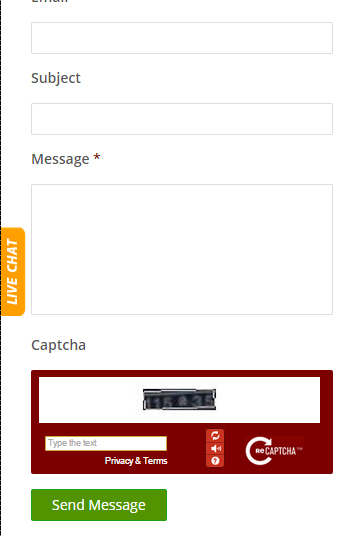
Have a problem on Captcha responsive CSS layout? Just copy the CSS codes below and this will solve your problem. You can also make your own design if want. Dont forget to download the Captcha logo. Option 1 @media only screen and ( max-width: 360px ) { #recaptcha_widget_div { overflow: hidden; } #recaptcha_widget_div #recaptcha_area {…
In this first part of my debugging series, I dive into the issues plaguing my mobile navigation menu. From unresponsive toggles to hidden elements, join me as I walk through my thought process, inspect code, and start patching up what’s broken. Perfect for developers troubleshooting similar mobile UI headaches. #Debugging #MobileMenuFix #ResponsiveDesign #WebDev #FrontendDev #JavaScriptDebugging…
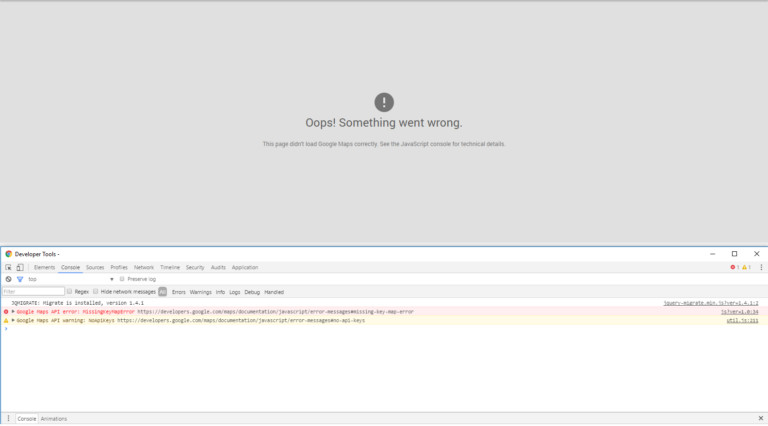
How to fix the “Google Maps API error: MissingKeyMapError” using WPBakery Visual Composer WordPress plugin? Are having trouble fixing this error on your end? This error is visible in your console developer tools. Google Maps API error: MissingKeyMapError https://developers.google.com/maps/documentation/javascript/error-messages#missing-key-map-error To fix the issue, first you have to look the script handler that is registered for…
Disable safari select fields css to avoid unparalleled height of your form fields. select { -webkit-appearance: none; }
<ul> <li>Lorem</li> <li>Lorem ipsum immit</li> <li>Lorem dolor</li> </ul> // GET THE WIDTH HIGHEST VALUE var max = Math.max.apply(Math, jQuery("ul li").map(function() { return jQuery(this).width(); })); jQuery( 'ul' ).css( {'max-width': max, 'width':'100%'} ); // GET THE HEIGHT HIGHEST VALUE var max_height = Math.max.apply( Math, jQuery( 'ul li' ).map( function(){ return jQuery( this ).height(); }) ); jQuery( 'ul'…