Jquery UI tabs
Disable ui tabs menu
$("#tabs").tabs("option","disabled", [0, 1]); // Option 1
$( "#tabs" ).tabs( "disable", "#tabs-2" ); // Option 2
$( '#tabs li.disabled-tab' ).addClass( 'ui-state-disabled' ); // Option 3

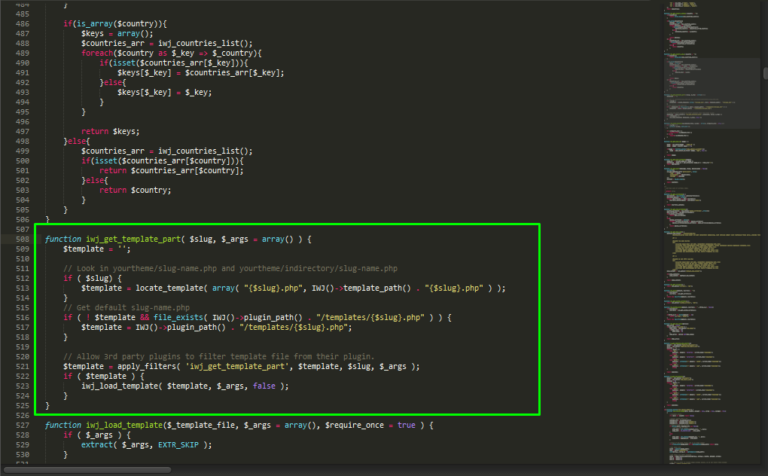
Override InWave Jobs template to the current theme is little bit hard for the WordPress beginners so I want to write tutorials that can help them solving this issue. Before that, just a little background for InWave Jobs. InWave Jobs is created by inwavethemes which I beleive many WordPress users is now using this, easy and very powerful plugin….
See http://multidatespickr.sourceforge.net/ for the references. Copy and paste the code below. var today = new Date(); var availableDates = ["9-9-2011","14-9-2016","15-9-2016"]; $('#simple-select-min-max').multiDatesPicker({ beforeShowDay: available }); function available(date) { dmy = date.getDate() + "-" + (date.getMonth()+1) + "-" + date.getFullYear(); if ($.inArray(dmy, availableDates) != -1) { return [true, "","Available"]; } else { return [false,"","unAvailable"]; } }
Renaming existing tabs. add_filter( ‘woocommerce_product_tabs’, ‘woo_rename_tabs’, 98 ); function woo_rename_tabs( $tabs ) { $tabs[’description’] = array( ‘title’ => __( ‘WORKING’, ‘woocommerce’ ), ‘priority’ => 10, ‘callback’ => ‘the_content’ ); $tabs[’reviews’] = array( ‘title’ => __( ‘FAULTY’, ‘woocommerce’ ), ‘priority’ => 30, ‘callback’ => ‘woo_before_tabs_title’ ); return $tabs; } function woo_before_tabs_title() { the_field(‘faulty’); } This code…
How to update BuddyPress cover image size? Just copy and paste the codes below to your functions.php add_filter( 'bp_before_xprofile_cover_image_settings_parse_args', 'swifter_xprofile_cover_image', 10, 1 ); function bp_legacy_theme_cover_image_css_2( $settings = array() ) { $theme_handle = 'bp-child-css'; $settings['theme_handle'] = $theme_handle; $settings['callback'] = 'bp_legacy_theme_cover_image_2'; return $settings; } function bp_legacy_theme_cover_image_2( $params = array() ) { if ( empty( $params ) )…
Copy this code and paste to your functions.php function wpa54064_inspect_scripts() { global $wp_scripts; print_r($wp_scripts); // this will show all enqueue’s script } add_action( ‘wp_head’, ‘wpa54064_inspect_scripts’ );
Don’t panic, this is ads from revenuehits.com, normal to open new tab This site is already earning through Google AdSense and I get small amount of US dollar to those people who visited my site and click ads on my site. I have check the uwealthmktg.com captcha and it has onClick ads so I decided…