Blog | Woocommerce | Wordpress
Product categories WordPress codex
How to get current product category slug?
global $wp_query;
echo $wp_query->query_vars['product_cat'];

How to get current product category slug?
global $wp_query; echo $wp_query->query_vars['product_cat'];
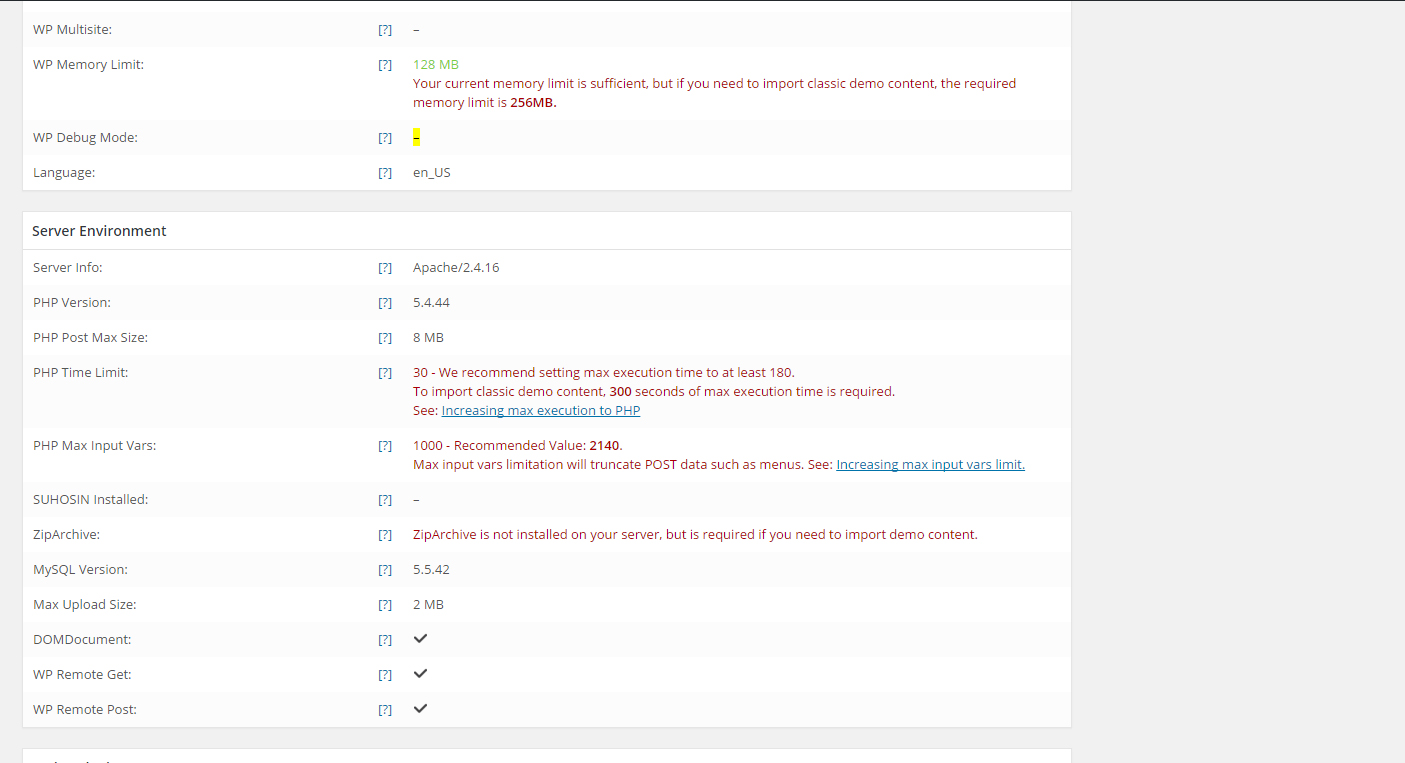
If you encountered the same error just like the image above, just follow this instructions. Steps: 1. Open your cpanel and look for /wp-admin/ folder. 2. Create a file and name it to .user.ini. 3. Copy the codes below and save the file. max_input_vars = 5000; max_execution_time = 180; 4. Make sure to switch your…
The7 pagination in custom WP_Query, just copy the code below and paste it in your functions.php. dt_paginator( $query, array( 'class' => 'paginator no-ajax', 'ajaxing' => false ) ); [php] Example: [php] $paged = ( get_query_var('paged') ) ? get_query_var('paged') : 1; $args = array( 'cat' => '8', 'posts_per_page' => 8, 'paged' => $paged ); $query =…
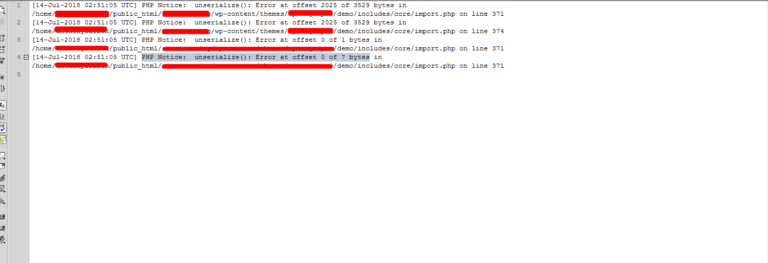
PHP Notice: unserialize(): Error at offset of bytes is showing when you edited the serialized text. In my end, I have serialized text and change the text. This will mess up serialized character count. This error show on my end `PHP Notice: unserialize(): Error at offset 2025 of 3529 bytes` and to fix the issue,…
How to get the parameter value or key value on the the window location (page URL)? If you have this URL “examplesite.com/?debug=1” and thinking how to get the value of debug parameter, the codes below is the answer. jQuery( document ).ready( function($){ // Example URL is examplesite.com/?debug=1 var getPostValue = function getPostValue(key) { var pageURL…
Having trouble on the auto filling the color of telephone number? Most common color is blue for the links. Here’s the solution below. Just copy and paste this inside to to your . <meta name="format-detection" content="telephone=no">
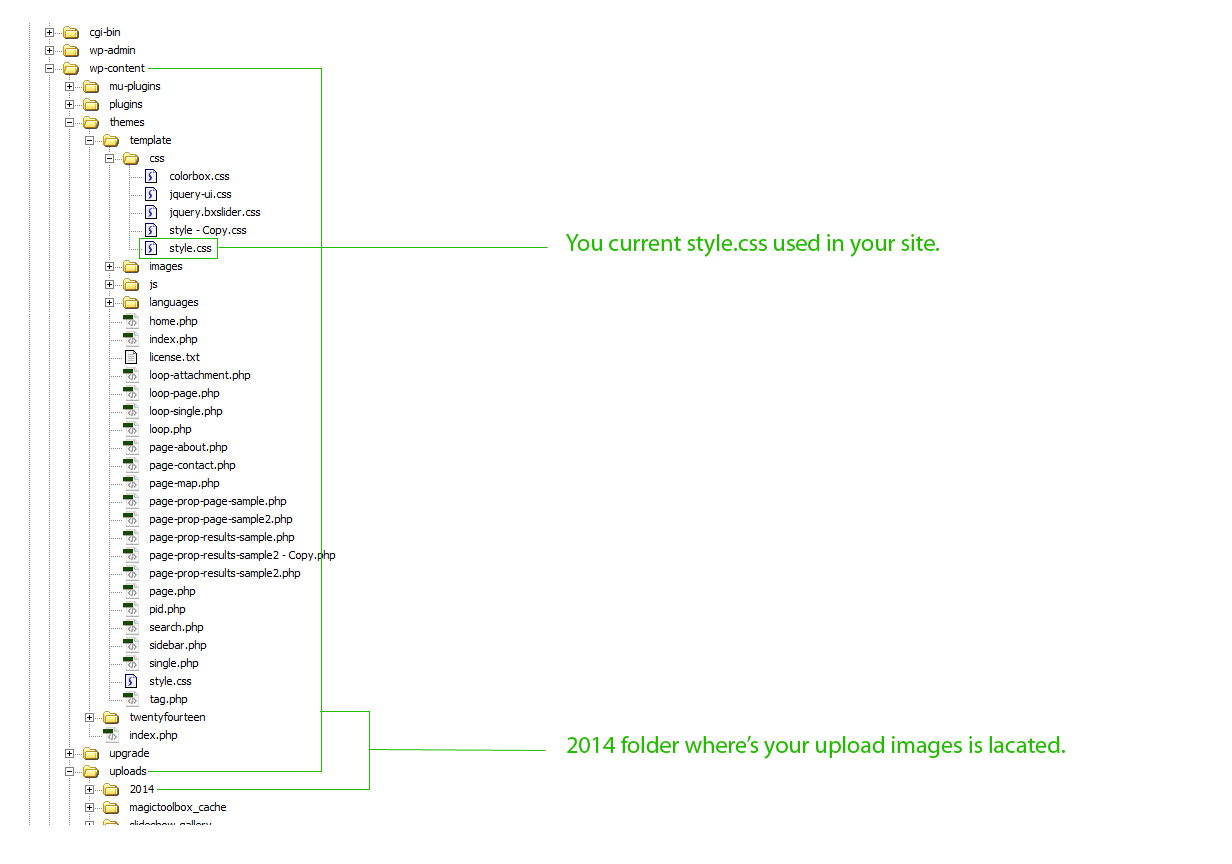
Make sure you have the same file path as the image below. background-image css example : div { background-image: url('../../uploads/2014/07/bg-css.jpg' ); }