Blog | Woocommerce | Wordpress
Product categories WordPress codex
How to get current product category slug?
global $wp_query;
echo $wp_query->query_vars['product_cat'];

How to get current product category slug?
global $wp_query; echo $wp_query->query_vars['product_cat'];
How to get current post/page/custom post type post data (ID, Post Name, Post Title, Etc.) in init action? If you have something to get in your current page and don’t know how to get the current post ID, post name, post type, post content, and many more, the codes below is the solution. Using init…
Renaming existing tabs. add_filter( ‘woocommerce_product_tabs’, ‘woo_rename_tabs’, 98 ); function woo_rename_tabs( $tabs ) { $tabs[’description’] = array( ‘title’ => __( ‘WORKING’, ‘woocommerce’ ), ‘priority’ => 10, ‘callback’ => ‘the_content’ ); $tabs[’reviews’] = array( ‘title’ => __( ‘FAULTY’, ‘woocommerce’ ), ‘priority’ => 30, ‘callback’ => ‘woo_before_tabs_title’ ); return $tabs; } function woo_before_tabs_title() { the_field(‘faulty’); } This code…
This code is showing how to add a archive-child/archive-parent classes in Woocommerce product category pages using display_type option. add_filter( 'body_class', function( $classes ){ $object = get_queried_object(); if( get_woocommerce_term_meta( $object->term_id, 'display_type', true ) != 'subcategories' ){ $classes[] = 'archive-child'; }else{ $classes[] = 'archive-parent'; } return $classes; });
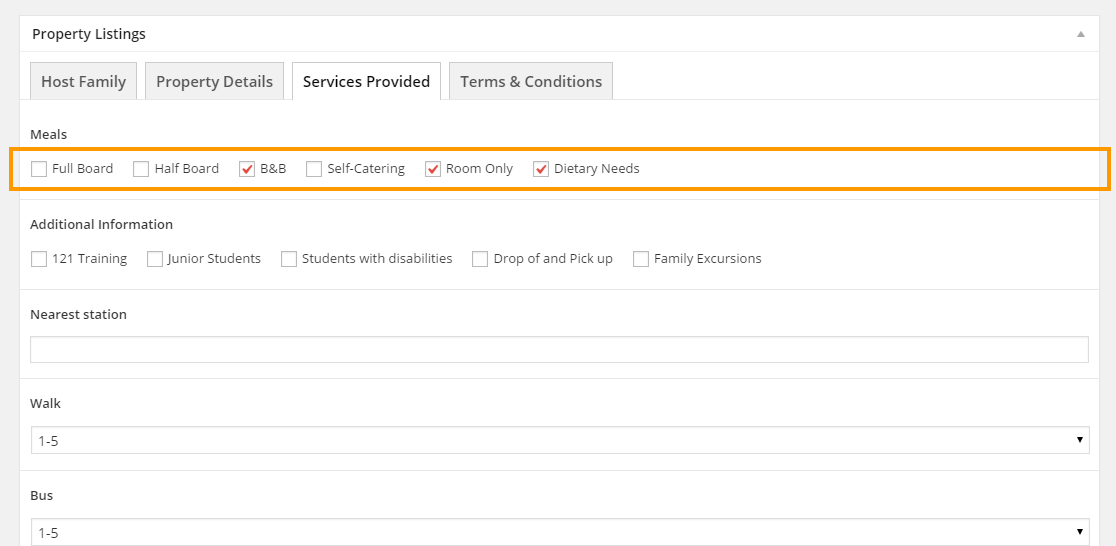
Get the check-box label text $meal_obj = get_field_object( 'meals', $product->id ); if( $meal_obj['value'] ){ foreach( $meal_obj['value'] as $meal_label ){ echo $meal_obj['choices'][$meal_label].', '; } }else{ $html .= 'No Meals'; }
On my current, I have this “martygeocoderaddress” custom fields and it contains a string with Queen Anne’s. On my JS code below Wrong html += ''; html += '<?php echo get_post_meta( $product->id , 'martygeocoderaddress' , true ); ?>'; // Output is 'Queen Anne's' which is wrong and this can't be read by your JS code….
How to style your radio button? Using simple CSS, you can do whatever styles in your radio button (<input type=”radio” value=”my radio button” />). Try this code your own. Output: my radio button my radio button input[type=radio] { -webkit-appearance: textfield; background: green; border: 5px solid #000; padding: 7px; border-radius: 50%; } input[type=radio]:checked { background: red;…