Browser css compatibility
Disable safari select fields css to avoid unparalleled height of your form fields.
select {
	-webkit-appearance: none;
}

How to increase PHP Max Input Vars? Most common errors I’ve encountered is when I’m adding an menu items in menu dashboard. Some hosting company is easy to fix, something like using php.ini, or .user.ini file. In my case I’m using WP Engine hosting company and I’ve tried this two and I guess its not…
Add BCC email in Woocommerce new order via product post meta? How to do that? Create a custom field with a meta_key of ’email_address’ and put the codes to your functions.php add_filter( 'woocommerce_email_headers', 'mycustom_headers_filter_function', 10, 2 ); function mycustom_headers_filter_function( $headers, $object ) { if( $object == 'new_order' ){ global $woocommerce; $cart = $woocommerce->cart; if(!empty($cart)){ $group…
function tml_title( $title, $action ) { if ( is_user_logged_in() ) { $user = wp_get_current_user; if ( 'profile' == $action ) $title = 'Your Profile'; else $title = sprintf( 'Welcome, %s', $user->display_name ); } else { switch ( $action ) { case 'register' : $title = 'Sign Up'; break; case 'lostpassword': case 'retrievepassword': case 'resetpass': case…
Code below is to get current user ID. $user_ID = get_current_user_id(); Code below is to get all user meta. $user_meta = array_map( function( $a ){ return $a[0]; }, get_user_meta( $user_ID ) ); echo $user_meta[last_name]; echo $user_meta[description]; Output : Development Lorem ipsum dolor sit amet, nunc arcu urna, id donec. Sample array. Array ( [first_name] =>…
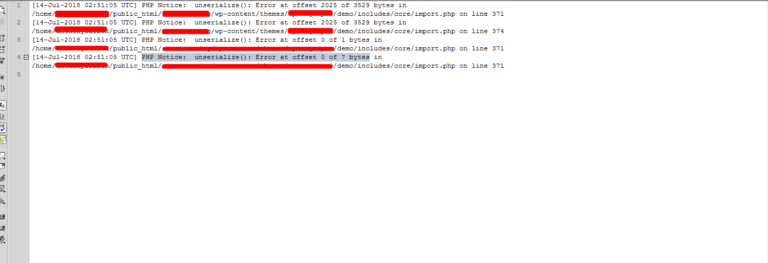
PHP Notice: unserialize(): Error at offset of bytes is showing when you edited the serialized text. In my end, I have serialized text and change the text. This will mess up serialized character count. This error show on my end `PHP Notice: unserialize(): Error at offset 2025 of 3529 bytes` and to fix the issue,…
GRAVITY FORM .gform_wrapper { margin: 0!important; max-width: 100%!important; } .gform_wrapper .top_label li.gfield input, .gform_wrapper .top_label li.gfield select, .gform_wrapper .top_label li.gfield textarea { width: 100%!important; padding-right: 2%!important; padding-left: 2%!important; } .gform_wrapper .top_label li.gfield .ginput_left, .gform_wrapper .top_label li.gfield .ginput_right { width: 49%!important; } .gform_wrapper .gform_footer { padding: 0; margin: 10px 0 0 0; } WOOCOMMERCE TABS .woocommerce-tabs…
You’re a among a form blogger in this field. Keep up the work. It’ll pay off.
Wow, it’s no surprise why you’ve so many people following you online.