Get the current post parent category ID
How to get the current post parent category ID? Just copy the codes below and paste this your template.
global $post;
$category = get_the_category( get_the_ID() );
$parent = $category[0]->term_id

In this first part of my debugging series, I dive into the issues plaguing my mobile navigation menu. From unresponsive toggles to hidden elements, join me as I walk through my thought process, inspect code, and start patching up what’s broken. Perfect for developers troubleshooting similar mobile UI headaches. #Debugging #MobileMenuFix #ResponsiveDesign #WebDev #FrontendDev #JavaScriptDebugging…
2 column slider <div class="site-inner"> <div class="wrap"> <ul class="two-column-slider"> <li> <img class="alignleft" src="images/author.jpg" alt="Darren Bowden" />Mauris vestibulum tempor tincidunt. Donec interdum pulvinar velit, vel elementum ex semper nec. Duis aliquam nunc sit amet ultrices tempus ultrices tempus.<br /> <br /> <span class="orange-text">Darren Bowden</span> Web and Design </li> <li> <img class="alignleft" src="images/author.jpg" alt="Darren Bowden" />Mauris vestibulum…
How to add a notice on WordPress Dashboard? function wdes_responsive_tool_1_discounted_add_ons() { ?> <div class="notice notice-success is-dismissible wdes-responsive-tool-1-discounted-add-ons"> <h3>WDES Responsive Tool 1</h3> <p>Get a <strong><a href="http://www.WDES Responsive Tool 1.com/purchase/" target="_blank">discount on Pro Version(20%) and Complete Version(30%) !</a></strong></p> </div> <?php } add_action( 'admin_notices', 'wdes_responsive_tool_1_discounted_add_ons' );
Dequeue or remove Gravity Forms style or css in your WordPress site. Common styles of Gravity Forms is `formreset.css`, `datepicker.css`, `formsmain.css`, `readyclass.css`, and `browsers.css`. Gravity Forms has action called `gform_enqueue_scripts`, you can visit the link for more information. <link rel='stylesheet' id='gforms_reset_css-css' href='http://example.com/wp-content/plugins/gravityforms/css/formreset.css?ver=1.7.11' type='text/css' media='all' /> <link rel='stylesheet' id='gforms_datepicker_css-css' href='http://example.com/wp-content/plugins/gravityforms/css/datepicker.css?ver=1.7.11' type='text/css' media='all' /> <link rel='stylesheet' id='gforms_formsmain_css-css'…
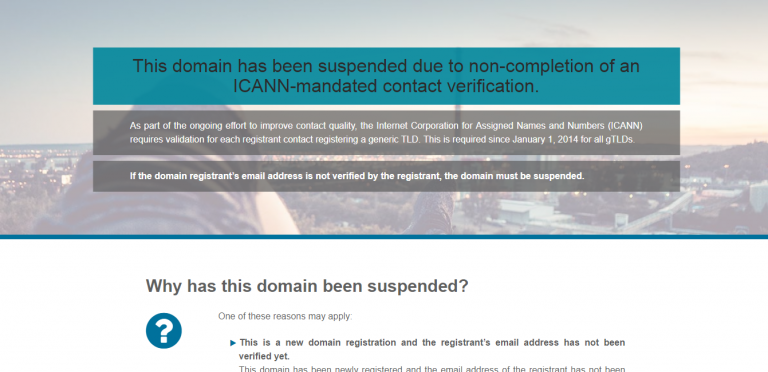
This domain has been suspended due to non-completion of an ICANN-mandated contact verification. As part of the ongoing effort to improve contact quality, the Internet Corporation for Assigned Names and Numbers (ICANN) requires validation for each registrant contact registering a generic TLD. This is required since January 1, 2014 for all gTLDs. Ok, the text…